
Follow the steps below to create a project.
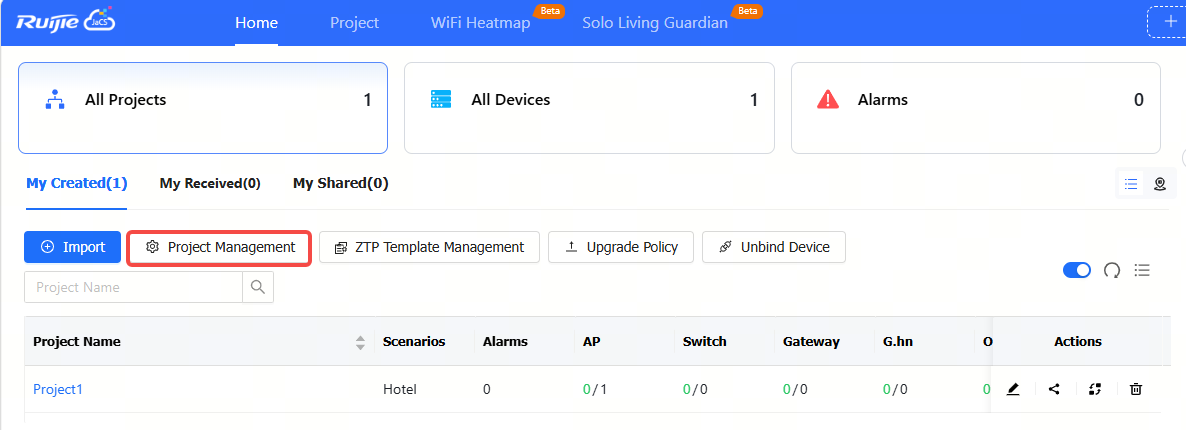
Step 1: Click Home > All Projects > My created to enter the project management interface, and then click Project Management.
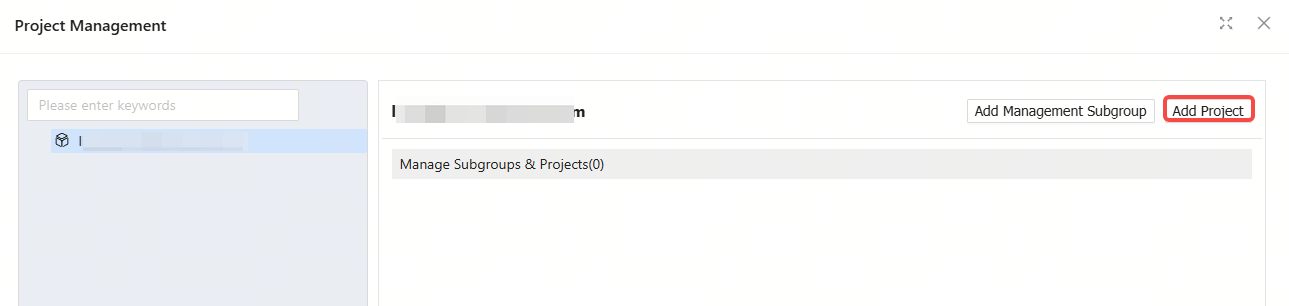
Step 2: Click Add project.
Step 3: Set basic project information.
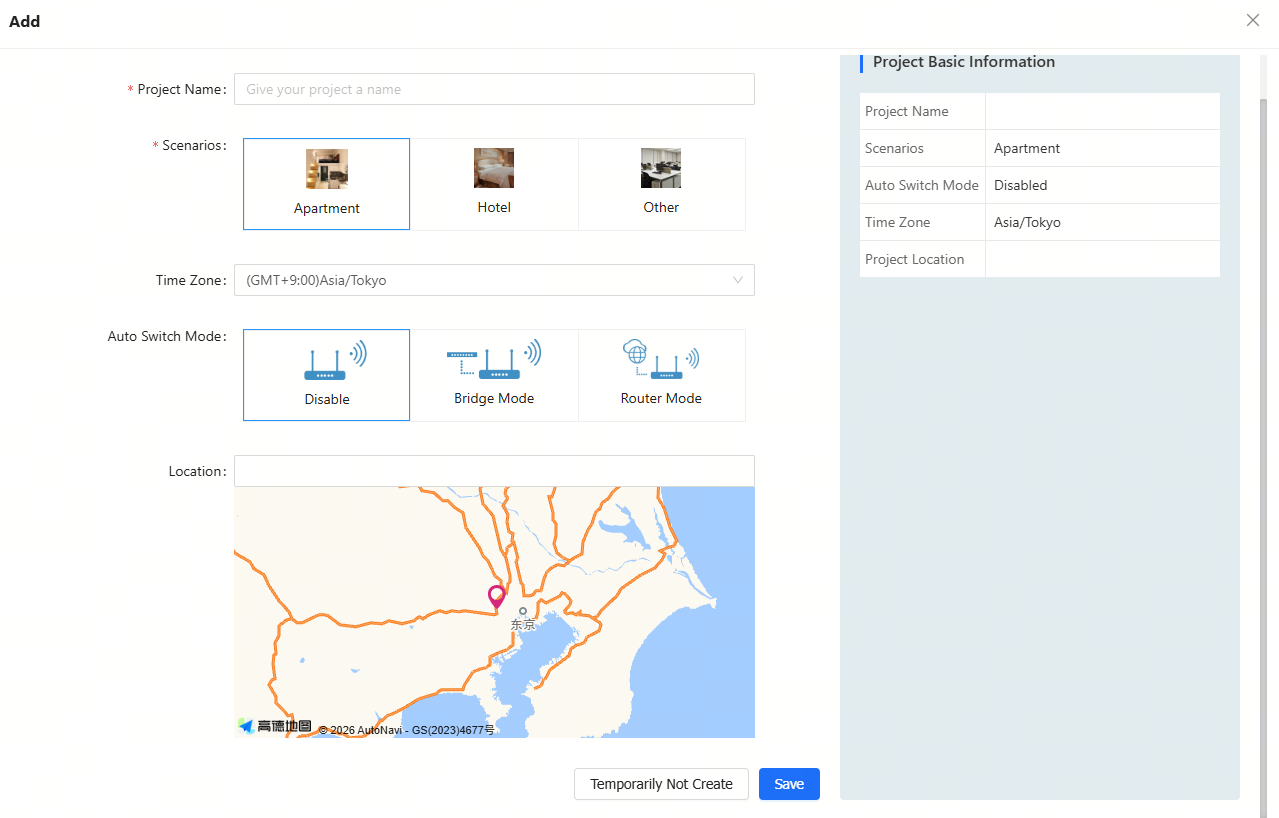
Configuration Item Description:
Disable: Disabling the automatic switching mode function.
Bridge: After selecting this option, the working modes of the devices imported into the project will be automatically switched to bridge mode after they go online for the first time.
Router: After selecting this option, the working modes of the device imported into the project will be automatically switched to routing mode when they go online for the first time.
Step 3: After the message appears, the project is created successfully.

全部评论