
Users can create a Web-based tunnel to access the gateway's eWeb system to achieve more monitoring and management functions.
Note: If there is any security system present in the network, such as a firewall, traffic to destination TCP ports 10000-12000 should be allowed.
Follow the steps below to create a tunnel:
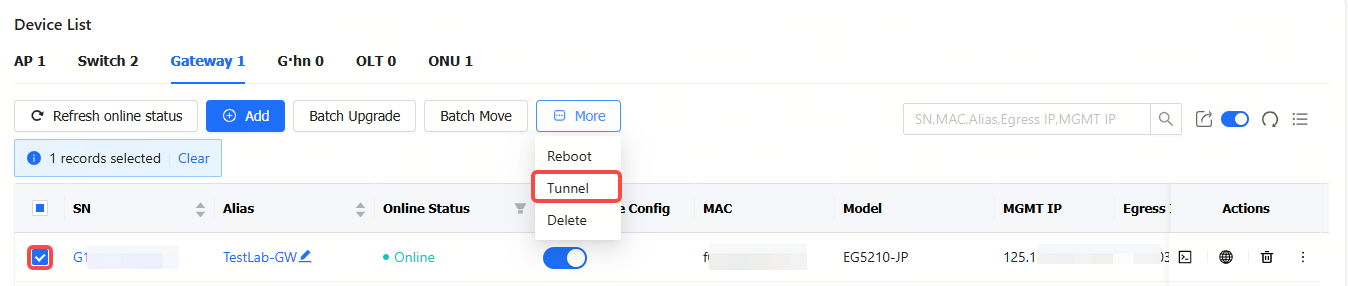
Step 1: Select a gateway. Click More, and then click Tunnel.
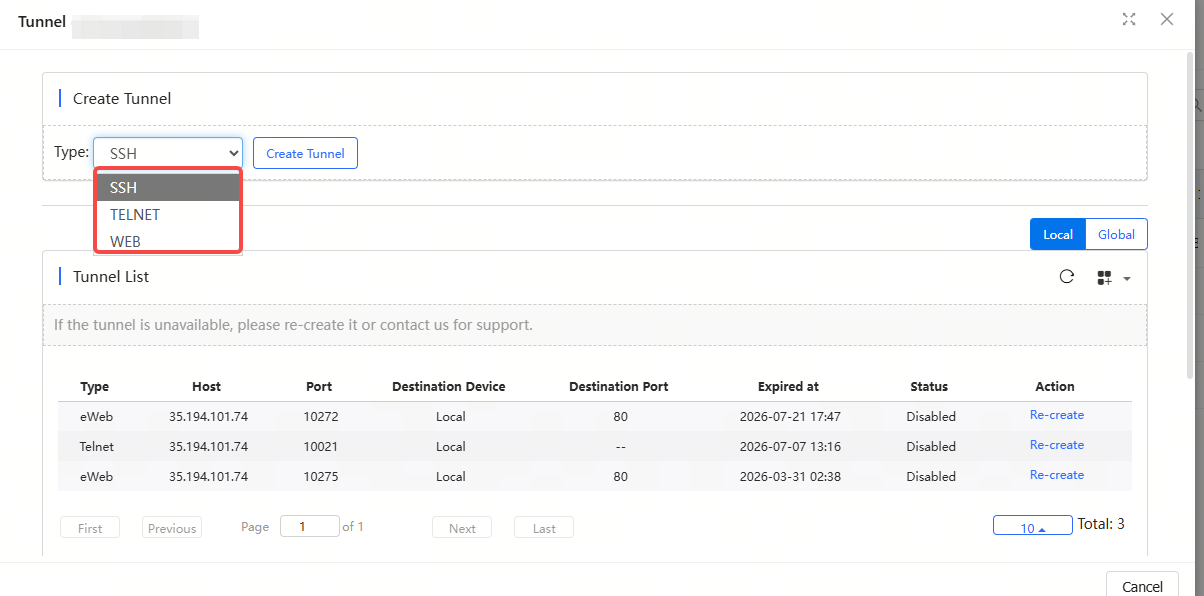
Step 2: Select a tunnel type, and click Create Tunnel. Different products support different tunnel types.
全部评论