
Follow the steps below to remotely upgrade the OLT(s) via the JaCS.
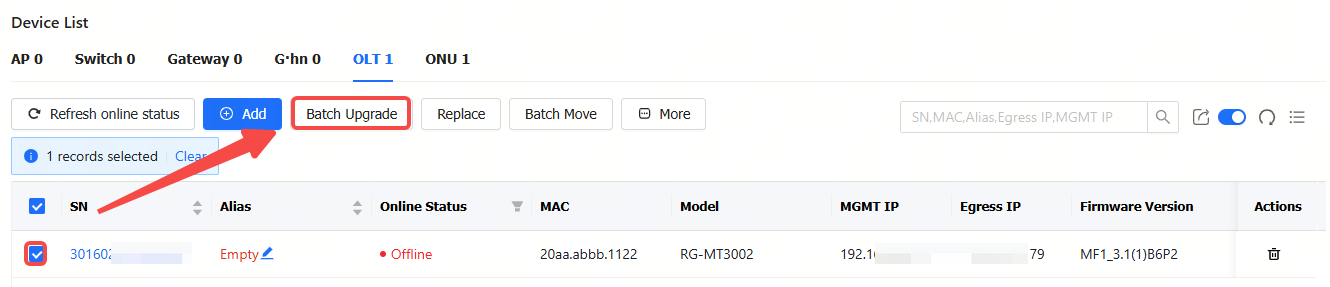
Step 1: Select the device to be upgraded, and then click Batch Upgrade.
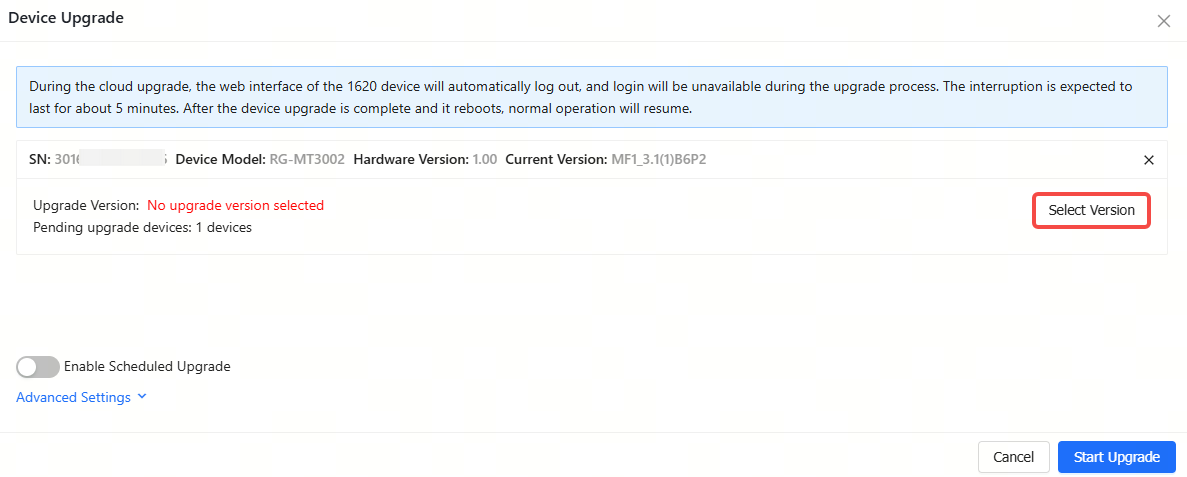
Step 2: Click Select Firmware to select a firmware version.
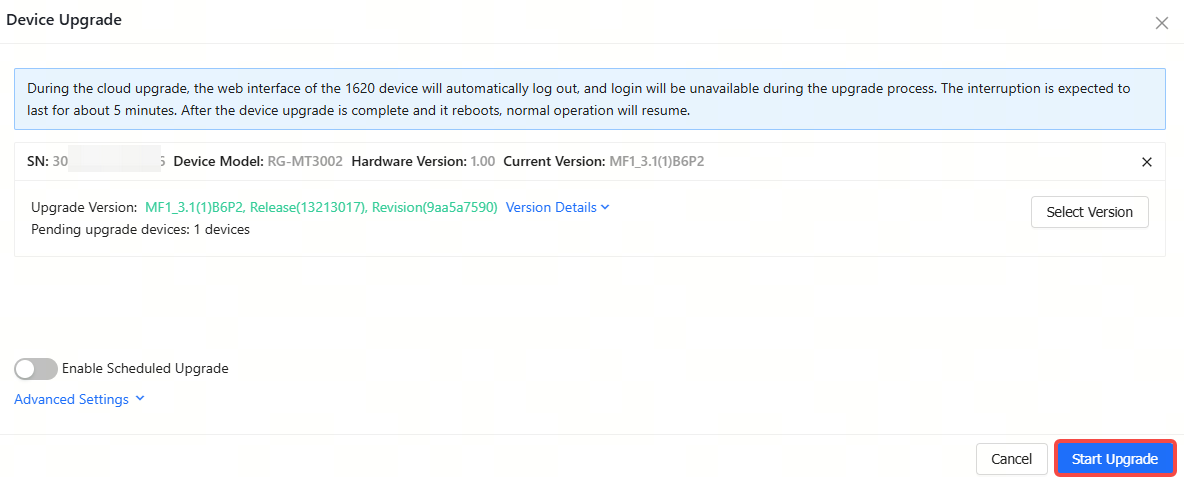
Step 3: Click Start Upgrade to create an upgrade task.
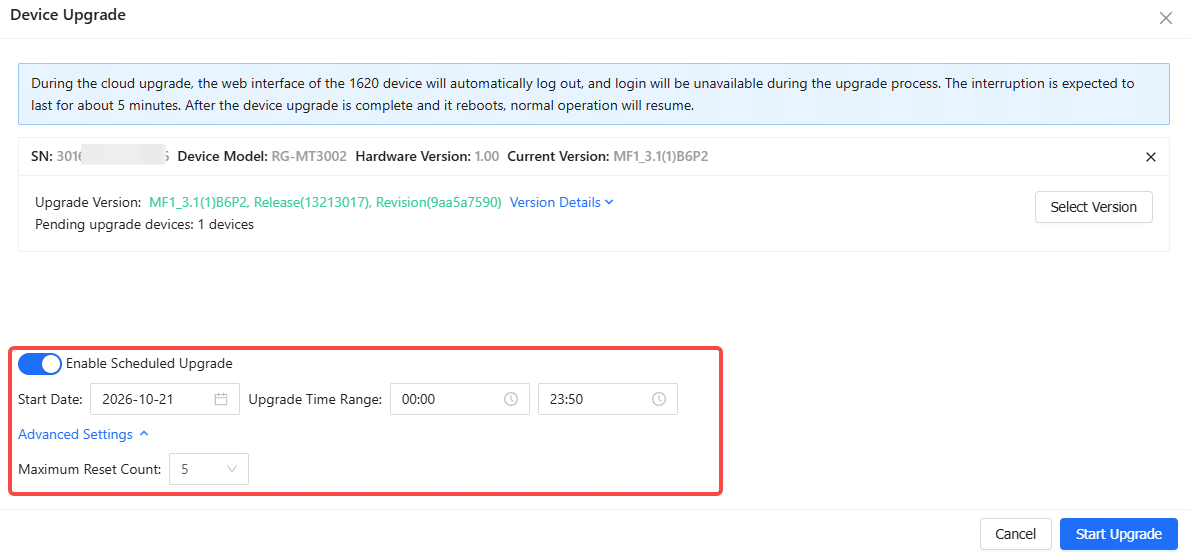
If you need to upgrade the device at a specific time, you need to enable Scheduled Upgrade, and then set the upgrade time. After that, click Start Upgrade. The default number of upgrade attempts is 5.
全部评论