
AI Troubleshooting is one of the core functions of the JaCS management platform, used to automatically diagnose network faults and provide professional fault solutions. This function has the following features:
The specific steps are shown as follows:
1. Click AI Troubleshooting.
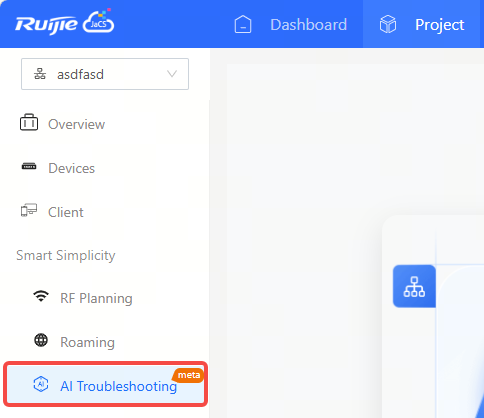
2. Click Start Diagnosis.
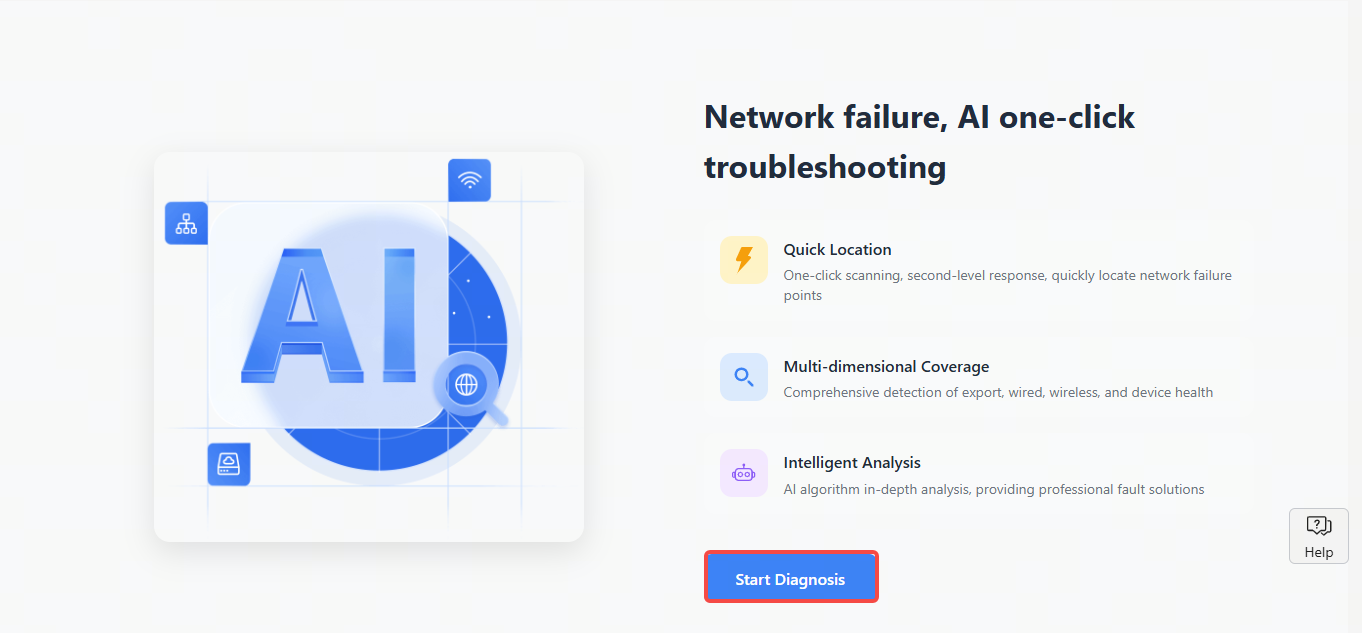
3. Select the device(s) to be diagnosed, and then click Diagnosis.
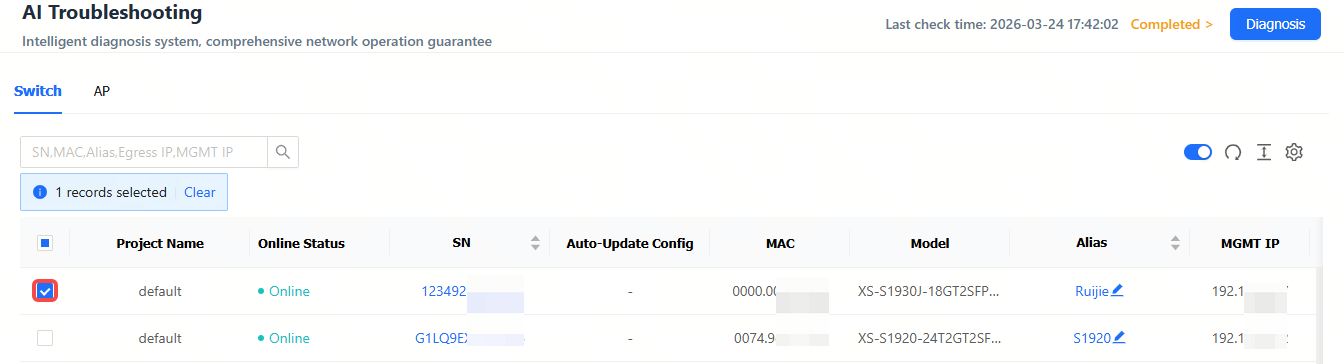
Note:
① All devices will be diagnosed by default, if no device is selected.
② The AI Troubleshooting only supports RG-AP180 series access points (excluding the hardware version of V4) and XS-S1930J series switches. Also, it only supports the diagnosis of online devices.
③ A maximum of 30 devices can be diagnosed per task.
④ If there are unfinished diagnoses within one hour, no new diagnoses can be initiated (the Diagnosis button stays gray).
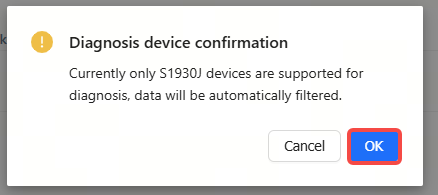
4. After the confirmation box appears, click OK.
5. Wait for the diagnosis to be completed.
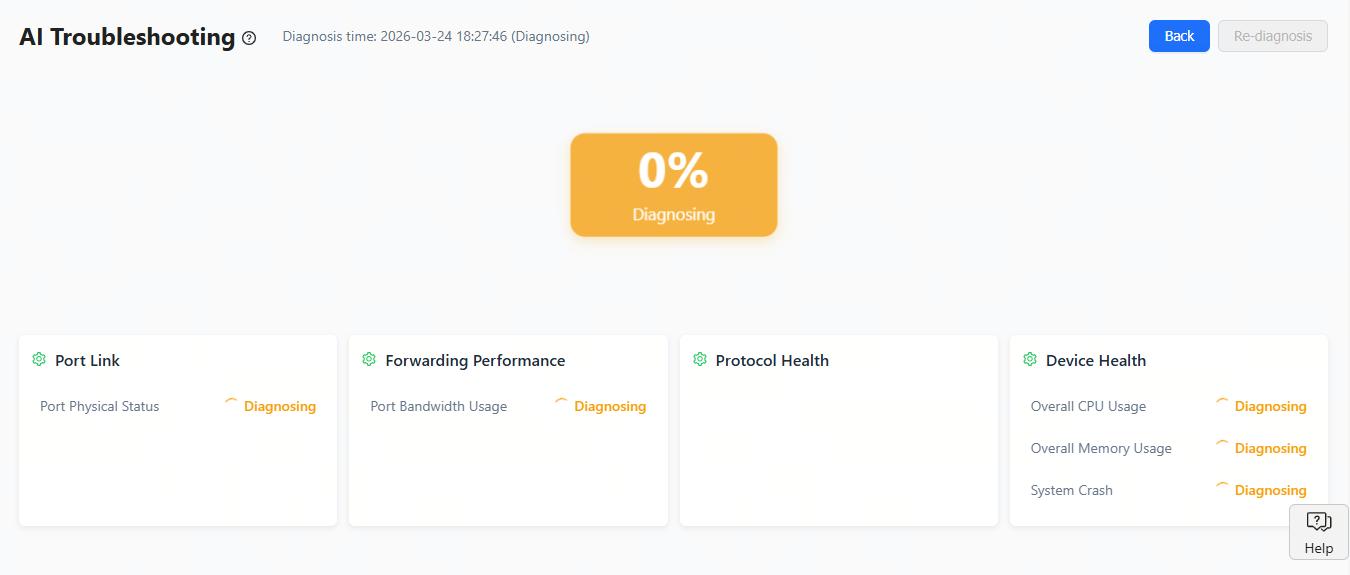
6. Check the diagnosis result.
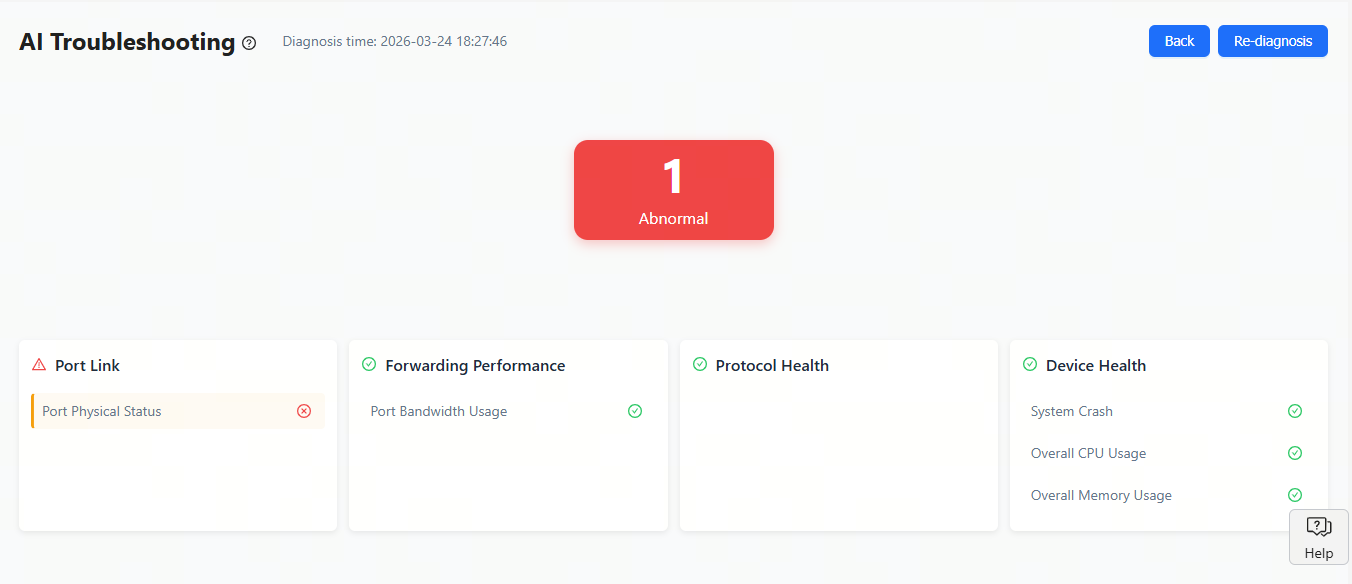
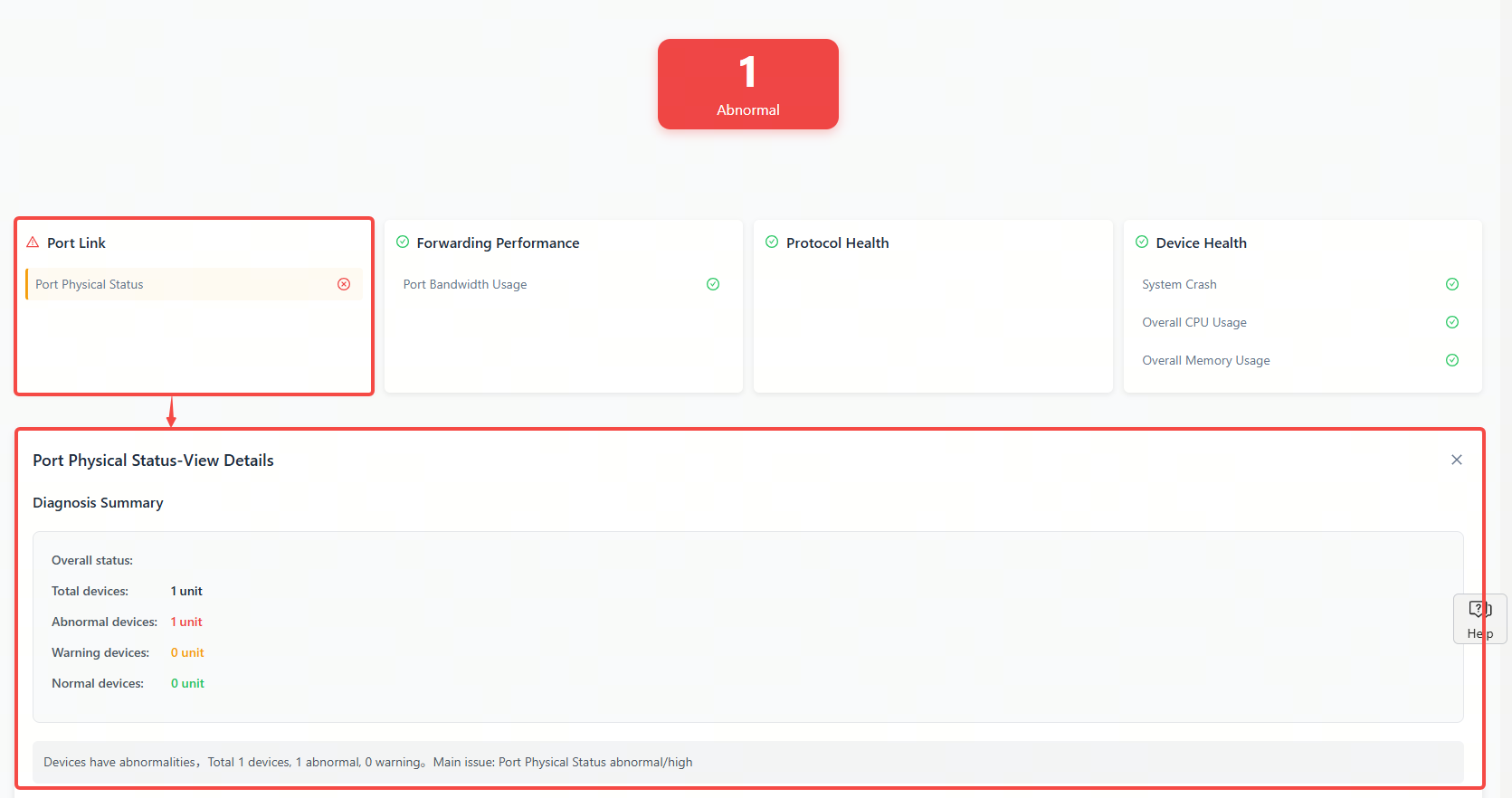
After the diagnosis is finished, click one of the tabs to display more details.
全部评论